Replay
Lead scraping pipeline: eight-stage replay
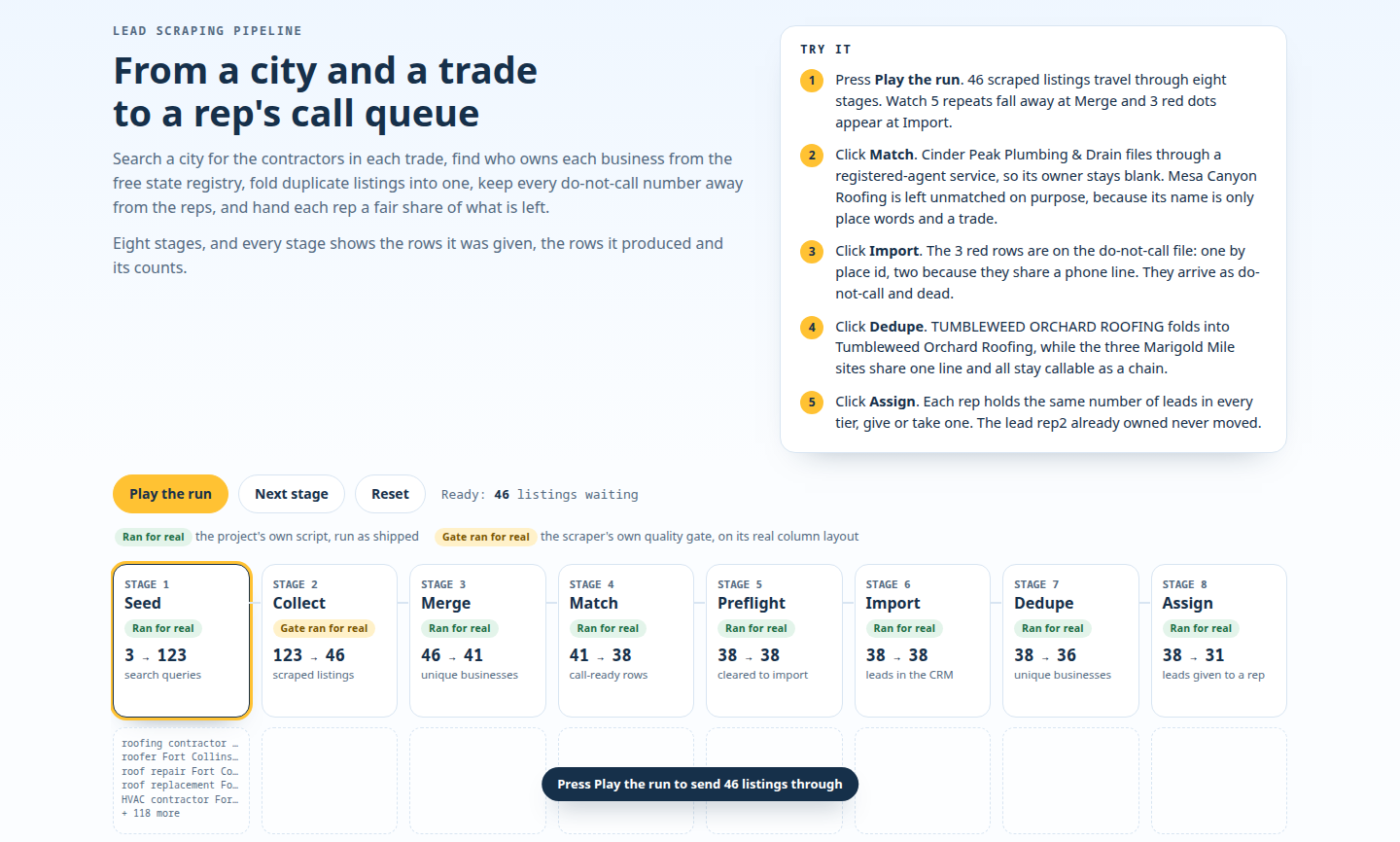
A real run, replayed: the eight-stage pipeline takes 46 listings to 31 leads split across three sales people.
For anyone retyping website leads: pick a Colorado city and see public registrations sorted onto a CRM board. A real browser photographs it, and each run is limited to 45 seconds.
Someone on your team copies business names off a website, then retypes them into the CRM, the tool where you keep leads. We build the version where no one does.
Pick a Colorado city and the server asks the state's open business registry for its newest registrations. It sorts them on a light CRM board with three columns (Call this week, New, Parked). A real browser then photographs the board, and the whole run is limited to 45 seconds.
The board keeps the best ones. One request fetches six times as many registrations as you keep. The run then takes Call this week first, then New, and at most two Parked.
Call this week0
empty
New0
empty
Parked0
empty
Press Run. A real browser on the server photographs the board and the screenshot appears here.
Limit 45 s for the whole run.
{} This is a live run, not a replay or a video. Newest registrations from the state's open dataset reach a CRM board for one of 8 Colorado cities, inside a 45-second limit.
If something is slow, the timeline says so. The progress list streams in with each step's state and time, and a run past 45 seconds is marked over budget.
This suits a team that pastes leads from a public website or directory into a CRM by hand. It also suits a CRM that gets new leads late, and a team that wants one board people will open. Without rules, whoever sits at the top of the sheet can end up called first, and repeats and mistakes can be found by accident, weeks later.
Here plain rules decide who to call first, with no black box. A local-service word in the business name sends a lead to Call this week. Nonprofits and holding-company names go to Parked.
Every record keeps its source ID, the registry's own number, with a link to its registry entry, so a repeat is easy to catch. A repeated ID inside one run is dropped.
The same ideas run at larger scale in the eight-stage call-list pipeline. It refuses to import without a do-not-call file. It marks duplicates and never deletes them. A record with no phone and no email stays off the call-ready list. Every dropped record is reported with its reason. [seed, collect, merge, match, preflight, import, dedupe, assign]
The data comes from the Colorado Secretary of State's Business Entities in Colorado dataset. Its license field says Public Domain.
Each run makes one request, spaced at least 1.1 seconds apart. That is slower than the host's requested crawl delay of one second. The request never asks for the registered-agent columns, which hold people's names.
One request, no logins, no tricks: the dataset needs no account, and every request names this site and its contact page. [User-Agent header]
Whether scraping is allowed depends on the source, so we check before building. For your source, we read the terms and the robots.txt file, where a site says what bots may read, then report back. Sometimes the honest answer is to ask the site for an API. [robots.txt]
We wrote push code for four CRMs: HubSpot, Pipedrive, Airtable and Notion. Each one connects to your account during the job.
A cleanup job deletes anything pushed to a test account 24 hours after the records were created, and retries a failed delete. Every 10 minutes it also clears this server's own copy of each run, board and screenshots included, once 24 hours old.
Each platform has its own tile, and every tile reports exactly what happened.
Send us your list and name the CRM you already pay for. We scrape a sample into a test board first. You see it before anything touches your real data. We add a check that stops the run and alerts you the moment the shape of the data changes, so nothing fails quietly.
Replay
A real run, replayed: the eight-stage pipeline takes 46 listings to 31 leads split across three sales people.
We also cleaned 3,361,791 raw county records into 1,391,184, one per piece of land, from nine county sources.
Click-through
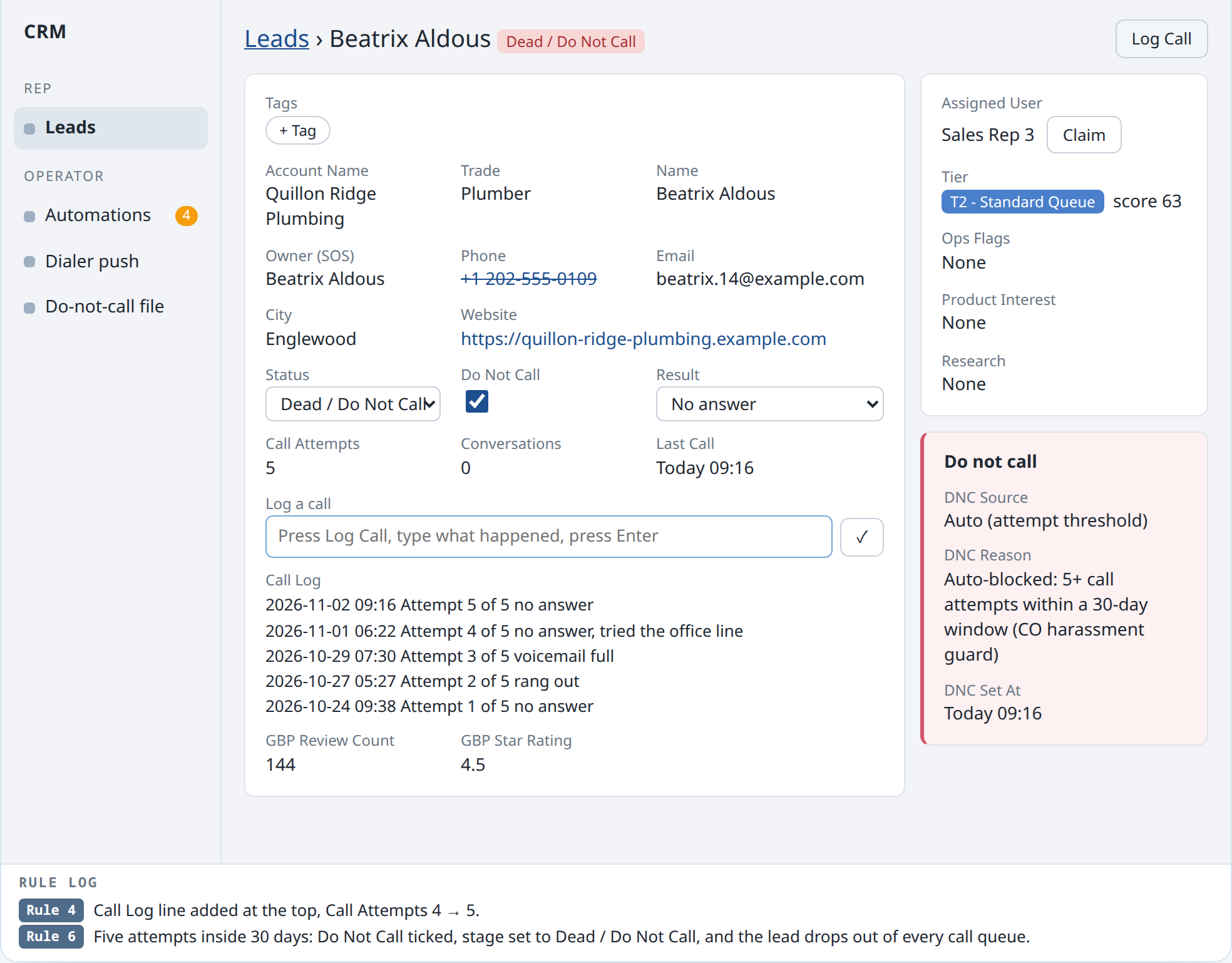
An interactive example showing a call-list rule from the contractor CRM: five call attempts in 30 days block a lead. Do-not-call is checked from two sources with no off switch.
Sandbox
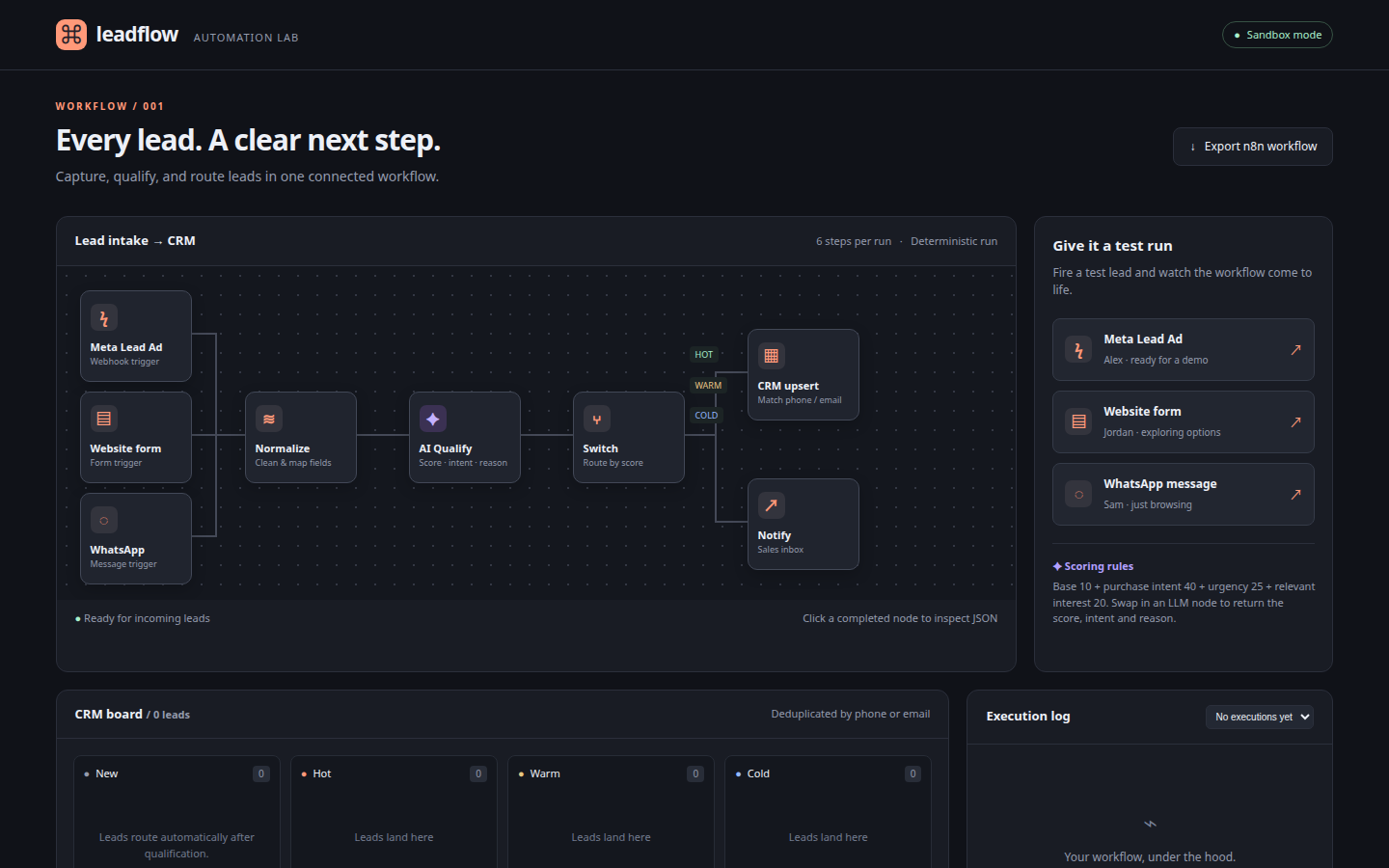
A sandbox example: a lead arrives as a message from another app. The workflow cleans it, scores it by fixed rules and sorts it into hot, warm or cold in six visible steps. It calls no outside service. [n8n, webhook]
See the full pipeline.
Send the website you copy from and name your CRM. We check its terms and bot rules before proposing a morning import that pushes only records your CRM has not seen.