Live
Live demo API and runner sandbox
One Node service sits behind the demos: seven demos, each with its own state, caps and a kill switch. [Podman, systemd]
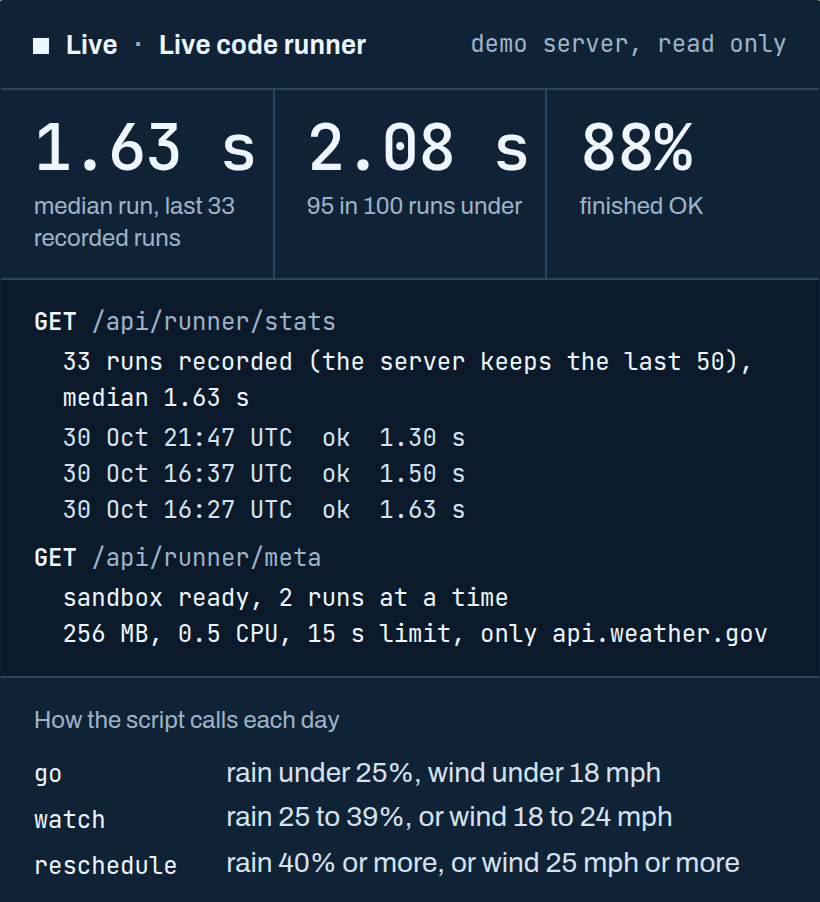
For owners who check Monday’s forecast, then ring the crew: we script that chore. Pick a job site, the days and a rain limit, then press Run. Last 33 recorded runs: median 1.63 s.
Every Monday you open a forecast tab for each job site, then ring the crew to say which jobs move. That is a row of browser tabs and a phone call before the week has started.
We write the script that does it and tells you which jobs to move. Below, one runs for real.
Three signs a chore should be a script. You copy numbers from one tool into another, and one typo costs you. A service you rely on holds the data but has no button for what you need. Or a no-code automation works until the odd case, then quietly stops.
With a script, the tabs become one short list sorted into go, watch or reschedule. The same rule applies the same way on every run, because the rule is written in the script, not kept in one person's head. In the demo below, the rain limit is one setting you change.
Today you learn something broke when a job is missed. A script keeps a log of every step, and a failed source stops the run loudly instead of passing along a wrong answer. We add an alert to that stop.
A first job takes three steps. You describe the chore: what goes in, what should come out and what a wrong answer looks like. Then we write the script, run it on your real data, keep a log of every run and check it works before adding anything else. Last, it runs on a schedule or on demand, with an alert when a source fails and a one-page how-to.
This is a live run. Each press starts a fresh container on this server and fetches the real National Weather Service forecast.
How the script calls each day
The answer appears here when the script finishes.
Where the time goes appears after a run.
{} The real script, live: the last 33 recorded runs here took a median of 1.63 s.
Run it again with a different rain limit. The three controls change what goes in, and the script stays fixed. By default a day is go under 25% rain and 18 mph wind. It is reschedule at 40% rain or more, or 25 mph wind or more.
The demo script reads the Weather Service's own data door [its API], not a web page. A change to the website's look does not touch it.
Live
One Node service sits behind the demos: seven demos, each with its own state, caps and a kill switch. [Podman, systemd]
Break-out tests use the settings of a real run. Of 11 checks, 9 try to escape the box: write files, reach the internet, reach the host, fork-bomb, eat memory and more. The other 2 confirm the weather service still answers and a runaway container gets killed. All 11 passed.
The one source reachable from inside is the National Weather Service forecast.
Re-read the run record yourself, as this page does: curl -s https://demos.fullstack-freelancer.dev/api/runner/stats and the sandbox limits: curl -s https://demos.fullstack-freelancer.dev/api/runner/meta
The script is fixed and every press starts a fresh container with read-only files, so the server stays clean run after run. You steer it with three controls: the city, the forecast days and the rain limit. [Podman]
One script, its live log, and the measured time after each run.
If the weather service stalls, the script retries once, then stops cleanly and explains why in the log.
Each run logs a scrambled form of the visitor's IP address to block abuse, with a quick bot check when needed. [HMAC-SHA256, Cloudflare Turnstile]
Live
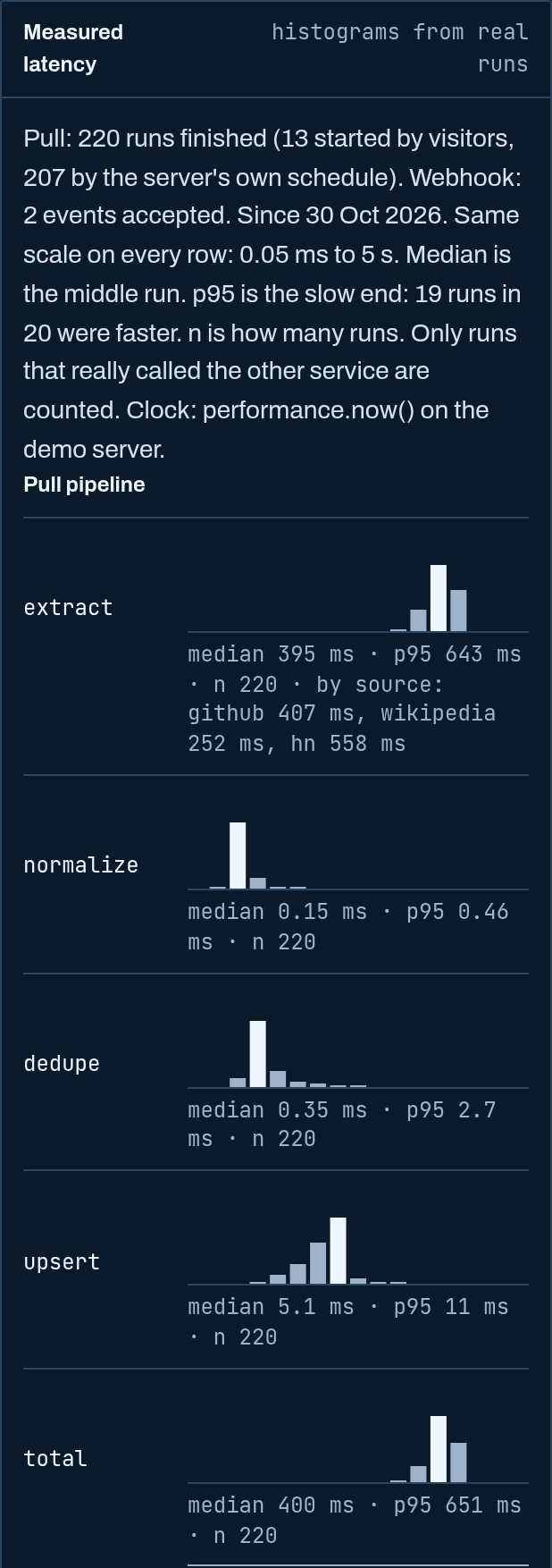
Pull a public feed into a small CRM, the tool where you keep leads, through four timed stages. The server has recorded 200+ pulls, with a median total of 0.40 s across the four stages. [SQLite]
Live
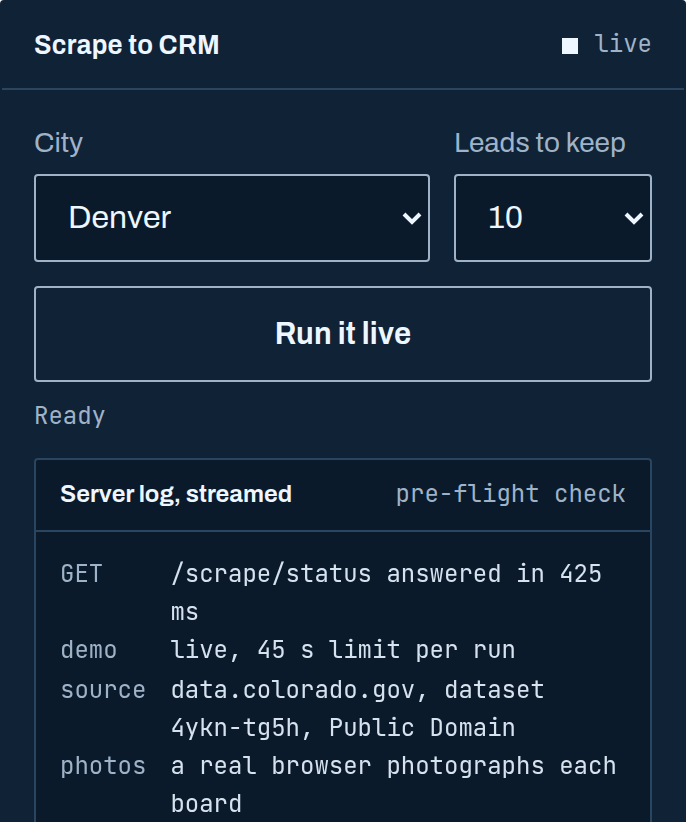
Sort new business registrations for one of eight Colorado cities onto a CRM board, inside a 45-second limit.
Press Run and the server starts a fresh container, then the script makes two National Weather Service forecast requests. [Podman]
One language runs from fetching to the answer: a single 113-line JavaScript file using only what ships with Node.js, which your next developer can read top to bottom. [Node.js]
Read how it was built for the build details. See integration work for projects that connect the tools you already use. Browse the other live demos.
Name the website holding your data, the missing button and what should happen next, and we tell you whether a script is the right fix and what the first small step is.